
What Is MCP? A Business Guide to AI Tool Integration
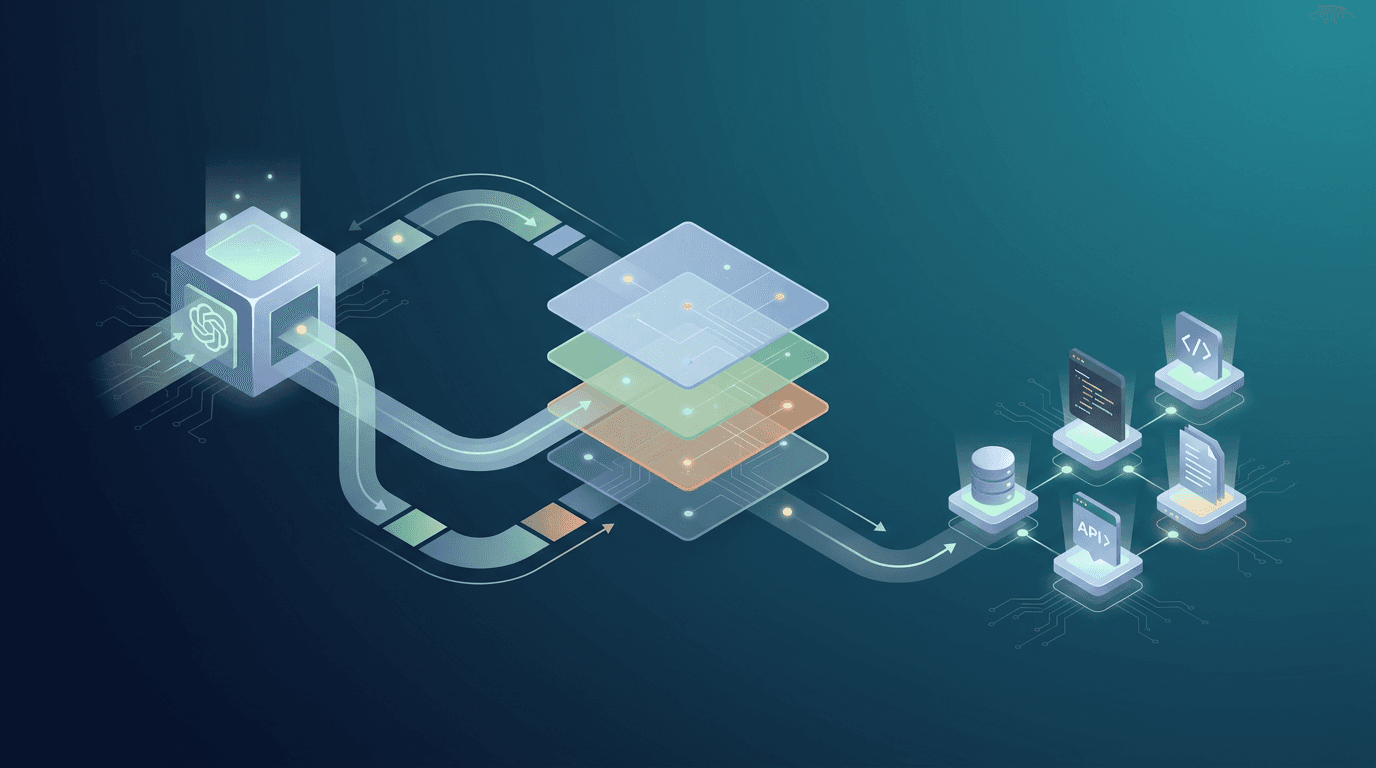
You have probably heard that AI can automate business workflows. But there is a practical problem that most AI hype glosses over: AI models like Claude and GPT live in a sandbox. They can reason, write, and analyze — but they cannot, on their own, send an email, update your CRM, create an invoice, or read from your database.
The Model Context Protocol (MCP) solves this problem. It is the standardized bridge that connects AI models to the real-world tools your business already uses.
MCP in Plain Language
Think of MCP as a universal adapter for AI. Just as USB-C lets you connect any device to any charger, MCP lets any AI model connect to any business tool through a standardized interface.
Before MCP, connecting an AI agent to your CRM required writing custom API code specific to that CRM. Connecting it to your email required different custom code. Every new tool integration was a separate engineering project. If you switched AI models (from GPT to Claude, for example), you might need to rewrite all those integrations.
MCP eliminates this problem. A tool integration built with MCP works with any MCP-compatible AI model. Build it once, use it everywhere.
How MCP Works (Without the Jargon)
MCP has three components:
MCP Servers are small programs that sit between your business tools and the AI model. Each server knows how to interact with a specific tool — Gmail, Stripe, HubSpot, Slack, your database, etc. The server translates the AI model's requests into the specific API calls that each tool understands.
MCP Clients are the AI applications that use the servers. This could be an OpenClaw agent, a Claude Code workflow, or any AI system that supports MCP.
The Protocol is the standardized language that clients and servers use to communicate. It defines how an AI model discovers what tools are available, what actions each tool supports, and how to execute those actions.
What This Means for Your Business
MCP matters because it makes AI automation practical and maintainable. Here are three concrete implications:
1. Your AI Agents Can Actually Do Things
Without MCP, an AI agent can only generate text. With MCP, the same agent can read your incoming emails, check your CRM for the sender's history, draft a response based on context, send the response, and log the interaction — all autonomously.
2. You Are Not Locked Into One AI Vendor
Because MCP is a standard protocol, your tool integrations work with any compatible AI model. If a better model comes out next year, you can switch without rebuilding your integrations. This is a significant advantage over proprietary integration approaches.
3. Integration Costs Drop Dramatically
Building a custom API integration from scratch typically costs $5,000–$15,000 per tool. An MCP server for the same tool costs $3,000–$5,000 and is reusable across all your AI applications. For businesses connecting AI to 5+ tools, the savings are substantial.
Common MCP Integrations for Business
Here are the most common MCP integrations we build for Toronto businesses:
| Tool Category | Examples | What AI Can Do |
|---|---|---|
| Gmail, Outlook | Read, send, classify, and respond to emails | |
| CRM | HubSpot, Salesforce | Create contacts, update deals, log activities |
| Calendar | Google Calendar, Outlook | Read events, schedule meetings, send invites |
| Payments | Stripe | Create invoices, process refunds, manage subscriptions |
| Project Management | Linear, Jira, Asana | Create issues, update status, assign tasks |
| Communication | Slack, Teams | Post messages, read channels, send notifications |
| Databases | PostgreSQL, MySQL | Query data, create records, generate reports |
| File Storage | Google Drive, S3 | Read, write, and organize files |
| Analytics | PostHog, Google Analytics | Pull metrics, generate reports |
| Error Monitoring | Sentry | Read error reports, analyze stack traces |
For step-by-step guides on specific integrations, see How to Connect OpenClaw to Gmail, How to Use OpenClaw with Slack, or How to Use OpenClaw with Google Sheets.
A Real-World Example
Here is how MCP powers a complete automated workflow for a consulting firm:
- A prospect fills out a contact form on the website
- The AI agent receives the form data and reads the prospect's LinkedIn profile (web scraping MCP)
- The agent creates a contact record in HubSpot (CRM MCP) with enriched data
- The agent checks the calendar for available slots (Google Calendar MCP)
- The agent sends a personalized email with a booking link (Gmail MCP)
- The agent creates a task for the sales team to prepare (Linear MCP)
- The agent posts a notification to the sales Slack channel (Slack MCP)
All seven steps happen within 60 seconds of the form submission, with zero human intervention. Each step uses a different MCP server, but the AI agent orchestrates them seamlessly through the standard protocol. For more examples of this kind of automation, see our real estate agency case study.
Getting Started With MCP
If you are considering AI automation for your business, MCP integrations are the foundation. The process starts with identifying which tools your AI agents need to interact with, then building or configuring the MCP servers for each tool.
We specialize in building custom MCP integrations for Toronto businesses. Learn more about our MCP API Integration service, or book a discovery call to discuss your specific tool stack.
For a broader assessment of where AI can help your business, start with an AI Strategy Audit.